For letting agencies and property managers

Manage maintenance work across your properties.

Review requests, contact your service providers and approve quotes.
Track every intervention through to completion.

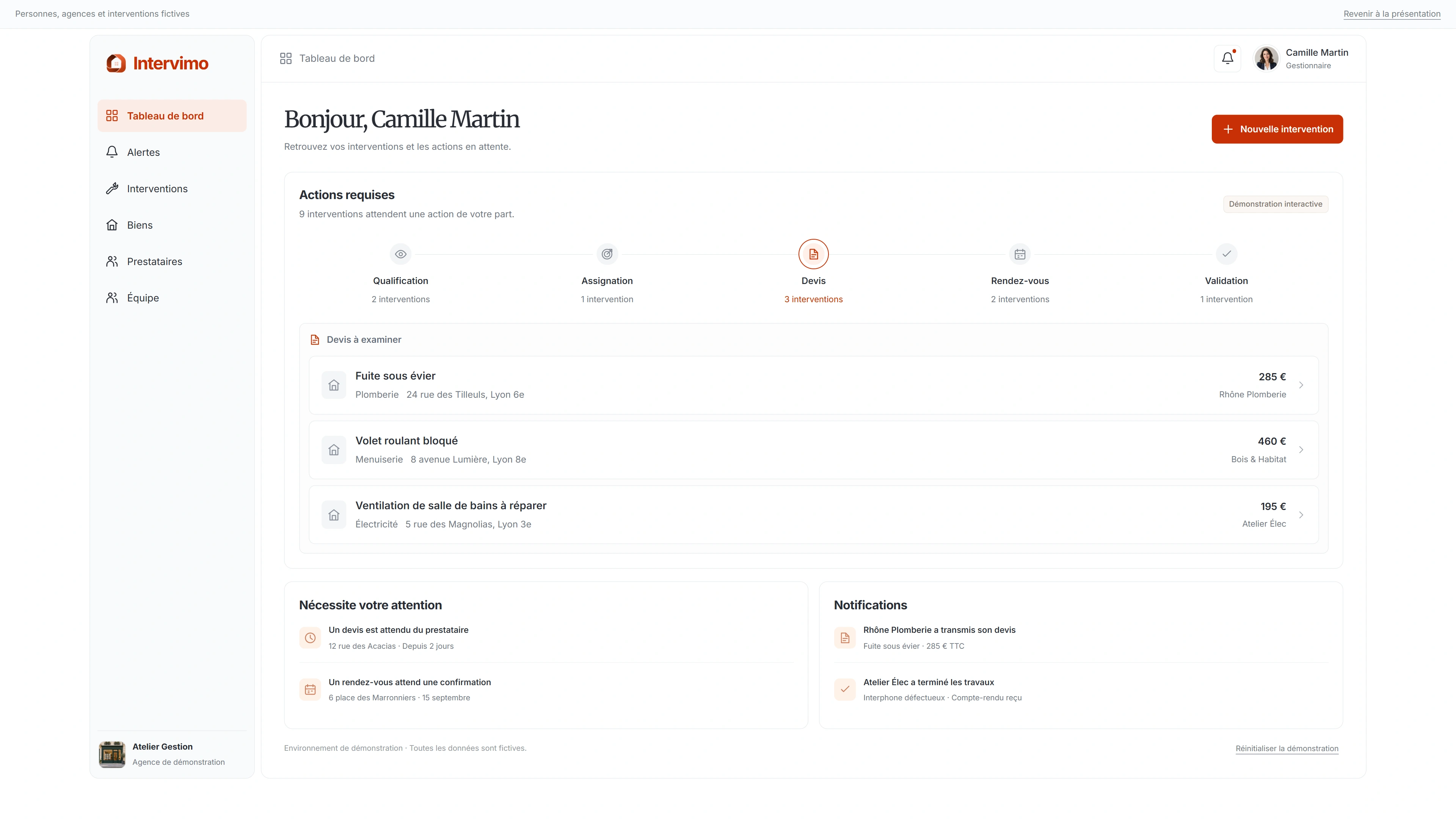
Discover your property manager workspace
Preview of the Intervimo property manager workspace

The interactive demo is available on tablets and computers.

Explore the tabs in the property manager workspace.

The stages of an intervention.

From reporting to completion, see how
the property manager, service provider and tenant work together.

The report

The tenant reports the intervention.
Tracking begins.

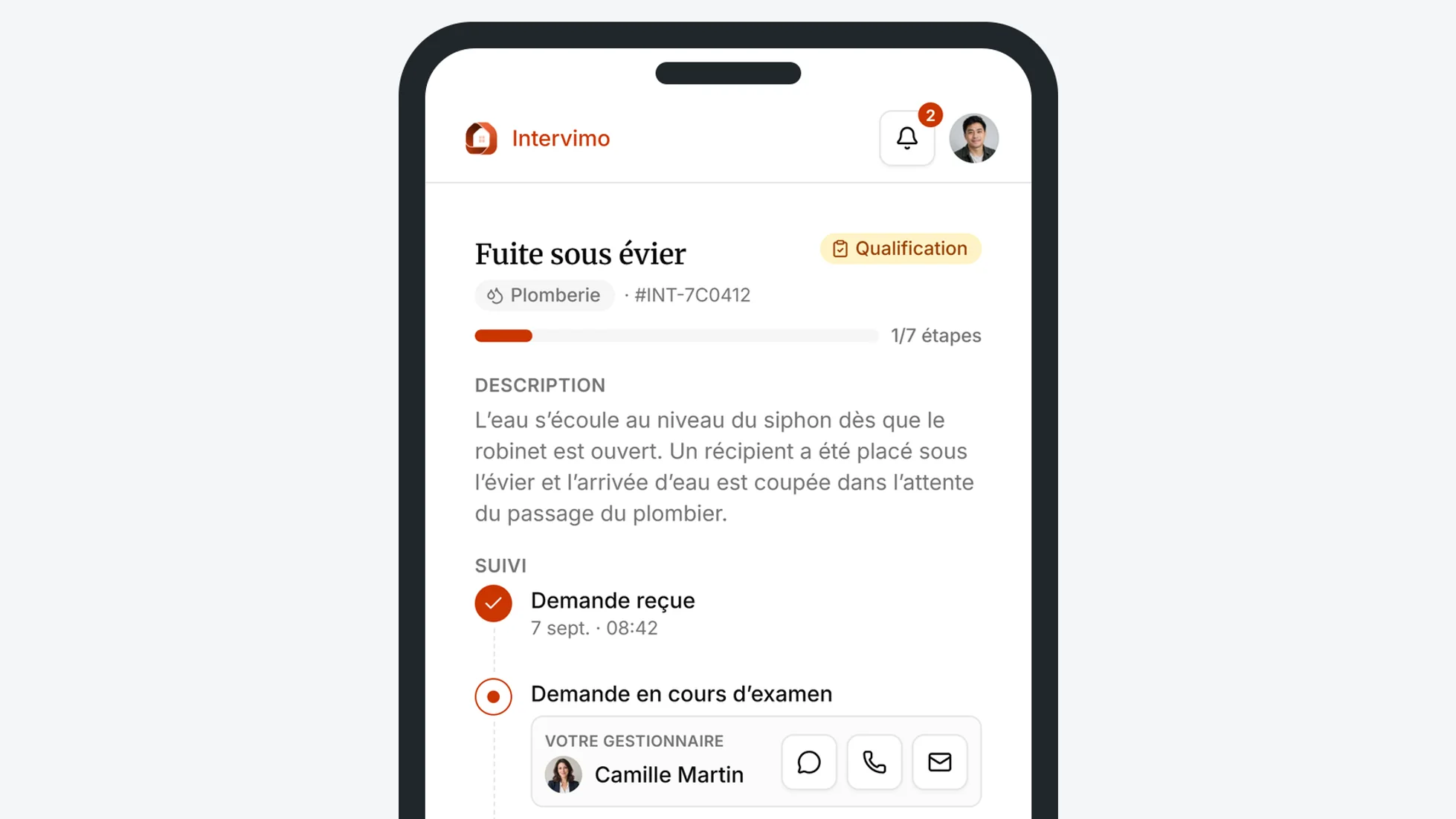
From their phone, the tenant reports the intervention and adds the relevant information. They can immediately see the next steps and who will take over.

Mobile view of the Intervimo tenant workspace showing a reported intervention
The intervention is reported directly from the tenant’s phone.

One intervention.
Three roles working together.

The property manager oversees the process, the service provider carries out the work and the tenant stays informed at every stage.

Decide what happens next.

Review requests, contact your partners and approve quotes. Your team tracks interventions and outstanding actions.

Create my property manager account

Each intervention moves forward according to your rules.

Define the decisions your team makes repeatedly. Intervimo applies each rule at the right time and records every action in the history.

  1. 01
    Automatic review

    When enabled, the rule analyses the request, identifies the category and urgency level, then reviews it automatically.

  2. 02
    Automatic assignment

    Route the intervention to the property manager or service provider defined by your rule.

  3. 03
    Intervention and quote thresholds

    The service provider knows how much they may spend without further approval. For a trusted partner, a second threshold can also approve quotes automatically.

  4. 04
    Automatic reminders

    Follow up on a request that remains unanswered after your chosen delay.

  5. 05
    Targeted notifications

    Notify the right person whenever an action or decision is required.

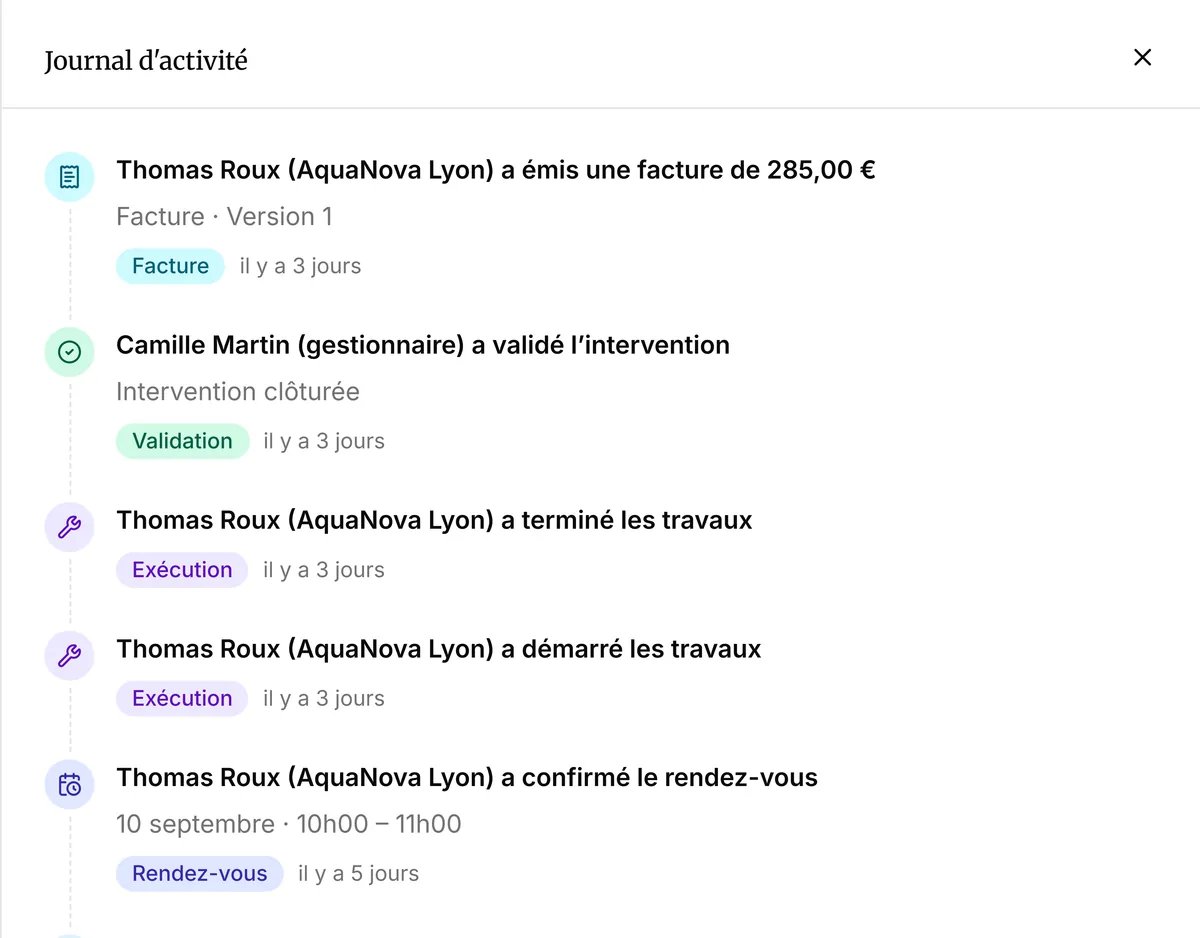
The history stays linked to the property.

Reports, appointments, quotes, messages and work: every action is added to the intervention history and remains linked to the relevant property.

History of the Under-sink leak intervention linked to the property at 24 rue des Tilleuls
The property keeps a complete history of its interventions.

A workspace designed for the way you work.

Choose your profile to see your plan.

From the second intervention onward, the service provider subscription costs €59 incl. VAT per month.

Your questions,
answered.

Need something clarified?
Contact us.

Can I keep working with my usual service providers?

Yes. Intervimo lets you keep your existing network and choose who to contact. You can also find verified service providers on the Intervimo Marketplace.

How are urgent requests handled?

Every request receives an urgency level. Your rules can then route it immediately to the right property manager or service provider.

Can the tenant track the progress of their intervention?

Yes. They can follow the relevant stages, receive proposed appointments and confirm the work once it is complete.

Does the history remain linked to the property?

Yes. Reports, appointments, quotes, messages and work remain linked to the intervention and the relevant property. This history forms the basis of the annual intervention report for the owner.

How far can automation rules go?

They can review and assign a request, apply your thresholds, follow up with the relevant people and send notifications. Once your rules are configured, the intervention moves forward automatically within the defined framework; the property manager steps in only when a decision falls outside it.

Ready to get started?

Your first intervention
starts here.

Create your account to report and track an intervention.

Interface IntervimoExplore the property manager workspace freely.